 Preview Post
- May 20, 2025
In today’s fast-paced product landscape, automation isn’t just helpful, it’s essential. As user journeys become more complex and product experiences more personalized, teams need tools that can respond to real-time behavior without creating bottlenecks.
That’s where SyncTrigger, the flagship feature from grync.io, comes in.
SyncTrigger is your go-to automation engine for turning product usage into action. Built to help you automate segmentation, engagement, feature rollouts and lifecycle workflows based entirely on how users interact with your product, SyncTrigger ensures your growth strategies are always one step ahead.
Whether you're guiding new users through onboarding, re-engaging dormant ones, or rolling out a new feature, SyncTrigger empowers your team to respond in real-time—without writing a single line of code.
With built-in capabilities for CRM updates, instant alerts to GTM teams, and real-time upgrade triggers, SyncTrigger closes the gap between product usage and business outcomes. It helps cross-functional teams stay aligned and move fast, ensuring that no user signal goes unnoticed.
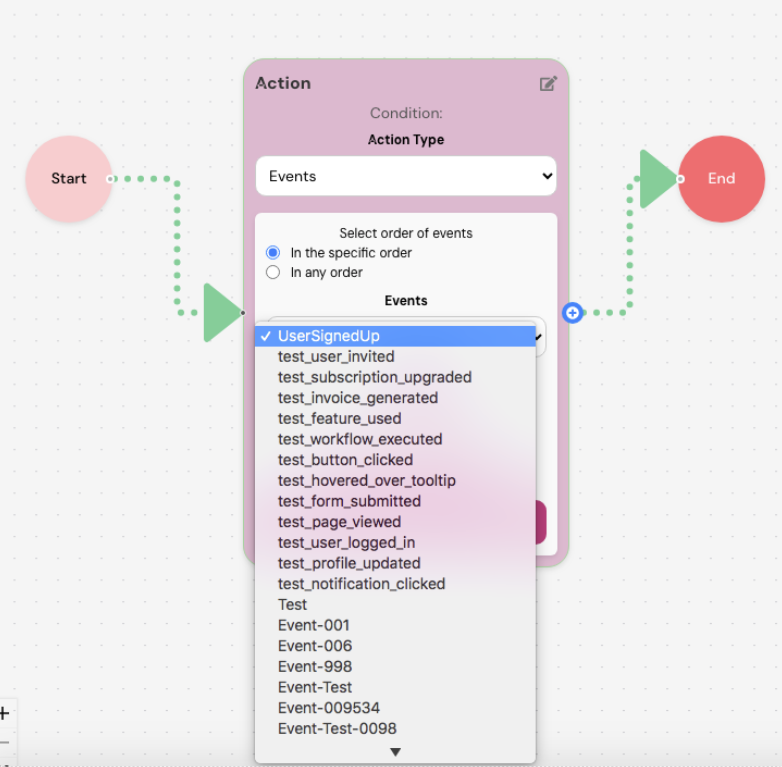
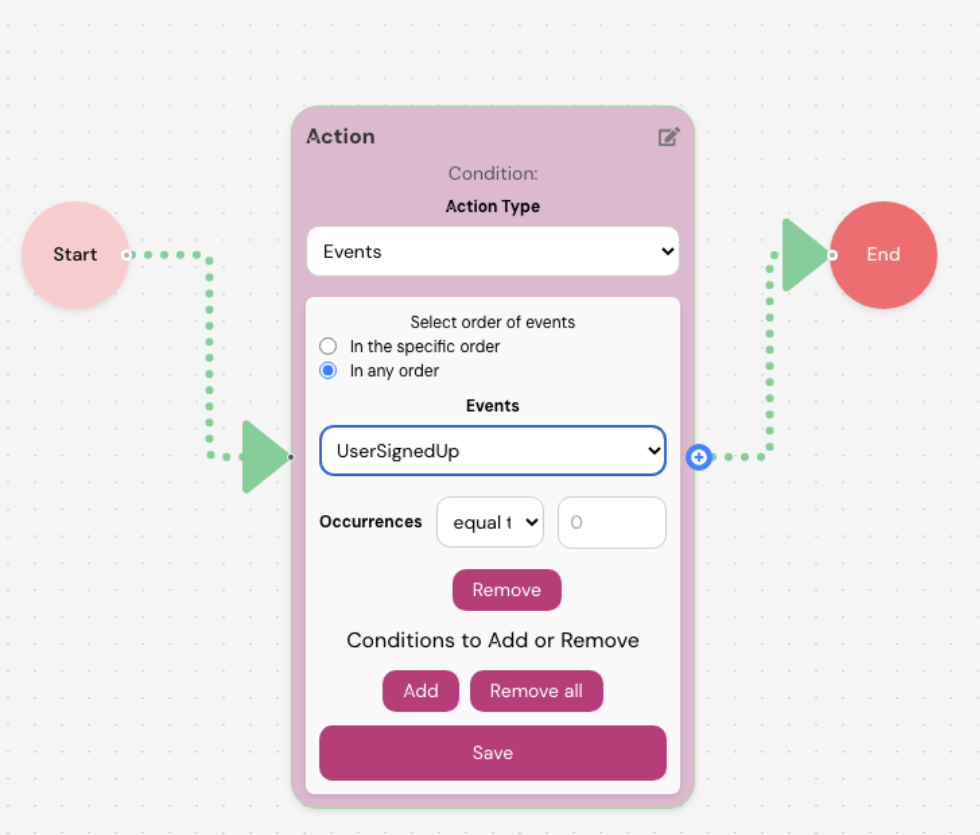
At its core, SyncTrigger allows you to create dynamic workflows triggered by user actions. It all starts with a simple and intuitive interface. When you launch SyncTrigger, you’re presented with a visual workflow builder, including a Start and End point, along with an Actions block that forms the heart of your engagement strategy.
Setting up a workflow is straightforward. You define which user-driven events you want to track, such as a product signup, a specific page visit, or a feature click. SyncTrigger allows you to select multiple actions, set the order in which they occur, and specify how often they need to happen before the workflow triggers.
This flexibility means you can precisely tailor the conditions under which your users receive engagement, whether that’s a friendly nudge, an educational tooltip, or a feature promotion.

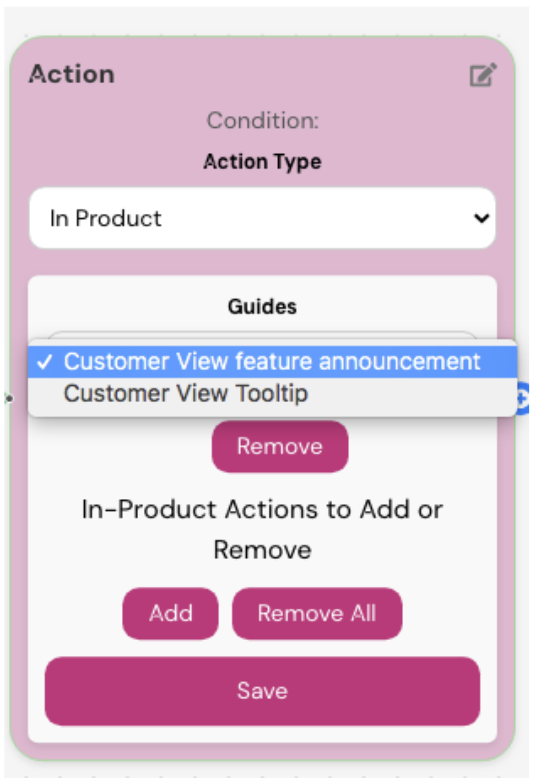
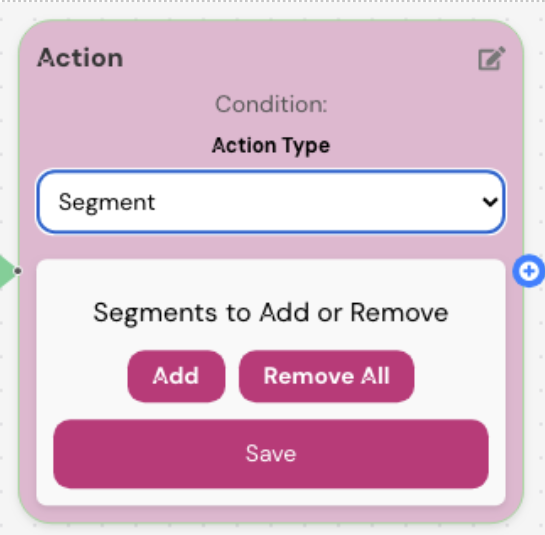
Once you’ve defined your events, the real magic begins. With just a click on the “+” icon in the Actions block, you can set up a wide range of triggers. These might include:
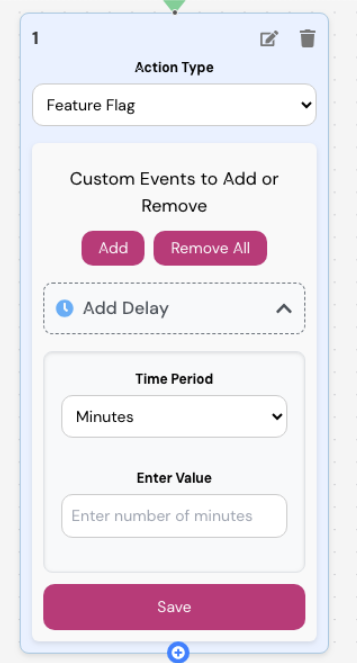
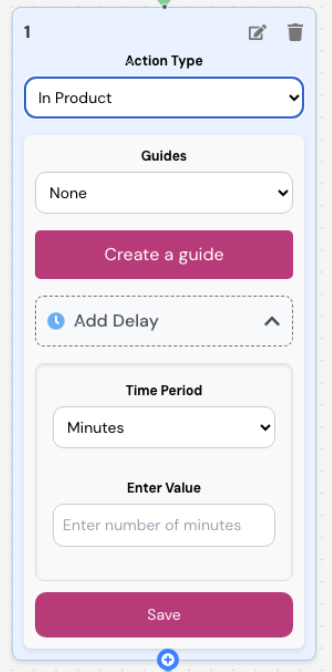
You can add delays to your triggers — setting them to appear minutes, hours, or days after the event conditions are met. This allows you to time your messages for maximum impact.
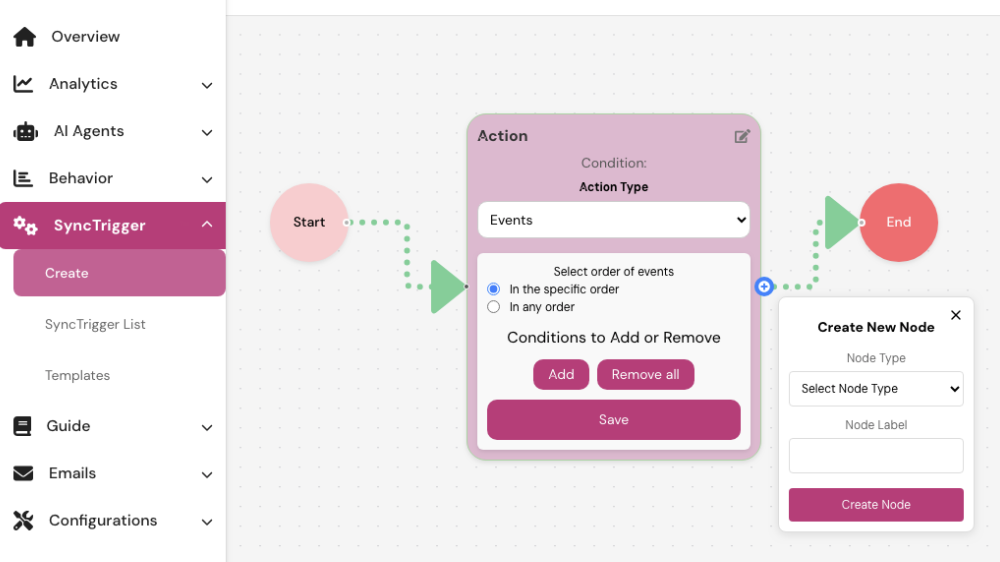
SyncTrigger doesn’t stop at surface-level interactions. You can build nested triggers to create multi-step engagement workflows. For example, once a user receives a product announcement:
This layered approach helps you craft smarter, more context-aware user experiences.

One of the biggest strengths of SyncTrigger is its flexibility across different teams:
SyncTrigger bridges the gap between product usage and proactive engagement, giving every team member tool to act on real data in real time.
Perhaps the best part of SyncTrigger is what it doesn’t require: code. You can build powerful automations, test variations, and scale what works — all without engineering involvement. It’s ideal for any team looking to drive engagement based on real product behavior.
If you're ready to take user engagement to the next level, it's time to explore what SyncTrigger can do. Set up targeted workflows, activate features, and deliver smarter product experiences — all from a single platform.
Get started today at grync.io.